You can now add OAuth and OpenID Connect (OIDC) login to your functions with the OpenFaaS watchdog, without adding logic to your function code.
The watchdog acts as a proxy to handle sign-in and validates the browser’s session before forwarding requests to the function.
You may want to quickly enable authentication on a function to:
- Protect an internal dashboard with company login.
- Require sign-in before submitting a form.
- Limit access to a demo or prototype to signed-in users.
- Require sign-in to upload or download files.
The identity provider confirms who the visitor is. The watchdog then creates a session cookie so the browser can access the function without signing in on every request.
1/2: Redirect to the identity provider
Without a valid session cookie, the watchdog directs the browser to the identity provider to sign in.
┌─────────┐                               ┌──────────┐
│ Browser │── request without cookie ────▶│ Watchdog │
│         │◀────── redirect to IdP ───────│          │
└────┬────┘                               └──────────┘
     │
     │ follows redirect
     ▼
┌─────────────────────┐
│  Identity provider  │
│       Sign in       │
└─────────────────────┘
2/2: Access the function with a session cookie
After sign-in, the browser sends the session cookie with each request. The watchdog validates it before forwarding the request to the function.
┌─────────┐                      ┌────────────────────┐                    ┌────────────┐
│ Browser │── request + cookie ─▶│      Watchdog      │── valid cookie ───▶│  Function  │
│         │                      │                    │                    │            │
│         │                      │  Validate cookie   │                    │  nodeinfo  │
└─────────┘                      └────────────────────┘                    └────────────┘
-
Authentication (AuthN) confirms who a visitor is.
The watchdog handles sign-in through your identity provider and checks that a visitor is authenticated before forwarding requests to the function handler.
-
Authorization (AuthZ) decides what a signed-in visitor can access.
The cookie created by the watchdog can be parsed in your function’s handler to further restrict access based on specific claims like email, username, or group.
Three options for Authentication:
- Functions that have OAuth enabled through the watchdog use a code grant flow and cannot be invoked headlessly or via curl. Enabling authentication through the watchdog is designed for portals, protected functions that users visit in a browser.
- OpenFaaS for Enterprises also ships built-in authentication and authorization for functions through IAM policies. This supports headless invocations, allowing the CLI, curl, and other services to call protected functions.
- Finally, any function can implement its own scheme for guarding access with bespoke code, or with an open-source authentication library. This is the most flexible option, but also requires the most work.
In this post, we will deploy nodeinfo from the function store and configure Google as its login provider. Visitors will need to sign in before they can view the function’s response.
In the second part of this series, we’ll show you how to implement authorization and sign-out in a custom Python function. So you can limit both who can access a function, and what they can do when authenticated.
Deploy a function from the store
The function store provides ready-made functions which are useful for testing and demos. We’ll use nodeinfo, which returns the container’s hostname, CPU count, memory, and uptime as text.
We assume you have a working OpenFaaS cluster with the CLI logged in already so it can access the gateway.
Generate a new stack.yaml file for the nodeinfo function from the function store:
faas-cli generate --from-store \
 nodeinfo \
 --output stack.yaml > stack.yaml
Next, deploy the function:
faas-cli deploy
Invoke the function:
faas-cli invoke nodeinfo <<<""

Hostname: nodeinfo-866cd48f57-x654z

Arch: x64
CPUs: 16
Total mem: 30676MB
Platform: linux
Uptime: 609681.91
Or open a browser and navigate to the function URL. You should see a response with information about the node in your browser.
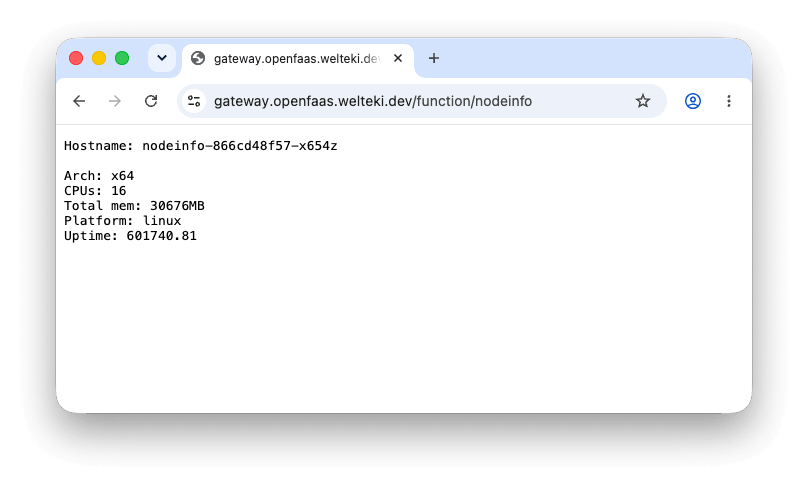
The response is publicly accessible for now. In the next section we will enable authentication so visitors are required to sign in before they can view the response.
Create an OAuth app
The watchdog supports OpenID Connect (OIDC) and OAuth for authentication with identity providers such as Microsoft Entra ID, Okta, Keycloak, and Google.
In this example we will be using Google as the Identity Provider. To enable authentication for the function register a new OAuth client in the Google Cloud Console.
- Set up a new project or navigate to your project in the Google Cloud Console
- Configure the Google auth platform for your project.
-
Create a new OAuth client
Under Google Auth Platform -> Clients select Create client. Select Web application as the application type.
Add an authorized redirect URI using the function’s public URL followed by
/auth/callback, for example:https://gateway.example.com/function/nodeinfo/auth/callback.The
/auth/callbackpath is served by the watchdog and handles the callback from Google after a successful login.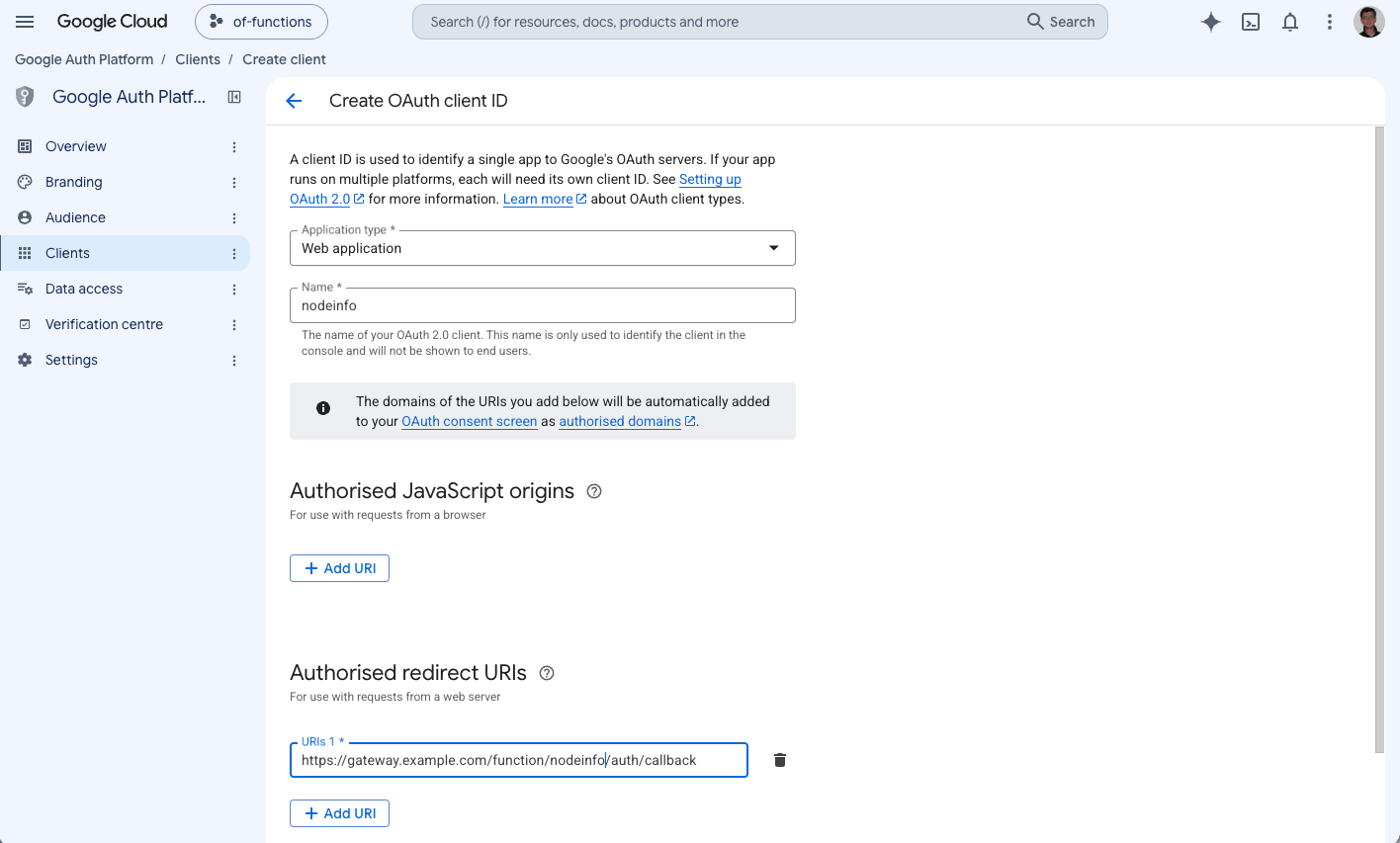
Save the client ID and client secret to configure the watchdog in the next steps.
Enable OAuth authentication for the function
When OAuth is enabled, the watchdog directs visitors to the identity provider to sign in. After a successful login, it issues its own JSON Web Token (JWT) and stores it in an HttpOnly cookie. The browser sends this cookie with subsequent requests, and the watchdog verifies it before forwarding requests to the function.
Authentication is stateless. Function replicas sharing the same OAuth configuration can handle any stage of the sign-in and validate session cookies without requiring requests to return to the same replica.
The watchdog requires a signing key to sign and verify these JWTs. Create it as an OpenFaaS secret:
faas-cli secret generate | faas-cli secret create nodeinfo-signing-key
Google requires a client secret. Store the client secret in a file called client-secret-value and create an OpenFaaS secret from it:
faas-cli secret create nodeinfo-google-client-secret \
   --from-file=./client-secret-value
If your IdP supports PKCE (Proof Key for Code Exchange) and does not require a client secret, the secret can just be omitted.
Update the stack.yaml generated in the first section to configure OAuth and mount both secrets. Replace the gateway URL and client ID with your own values:
version: 1.0
provider:
  name: openfaas
  gateway: https://gateway.example.com
functions:
  nodeinfo:
    image: ghcr.io/openfaas/nodeinfo:latest
    skip_build: true
    environment:
      oauth_enabled: "true"
      oauth_base_url: https://gateway.example.com/function/nodeinfo
      oauth_client_id: 123456789012-abcdefghijklmnopqrstuvwxyz012345.apps.googleusercontent.com
      oauth_issuer_url: https://accounts.google.com
      oauth_signing_key: nodeinfo-signing-key
      oauth_client_secret: nodeinfo-google-client-secret
    secrets:
      - nodeinfo-signing-key
      - nodeinfo-google-client-secret
The image is the same one used by the store. skip_build: true tells the CLI to use the pre-built image.
oauth_enabledenables browser login and session validation when set totrue.oauth_base_urlis the public function URL. The watchdog needs to know it to build the callback URL and redirect to the correct locations.oauth_client_ididentifies the OAuth application registered with Google.oauth_issuer_urlis the provider’s issuer URL, which the watchdog uses to discover its authorization, token, and public-key endpoints.oauth_signing_keyis the name of the OpenFaaS secret used to sign session cookies.oauth_client_secretis the name of the OpenFaaS secret containing Google’s client secret.
Apply the configuration to the existing function:
faas-cli deploy
Open the function URL in your browser again. This time, you should be redirected to the watchdog’s login page at /auth/login.
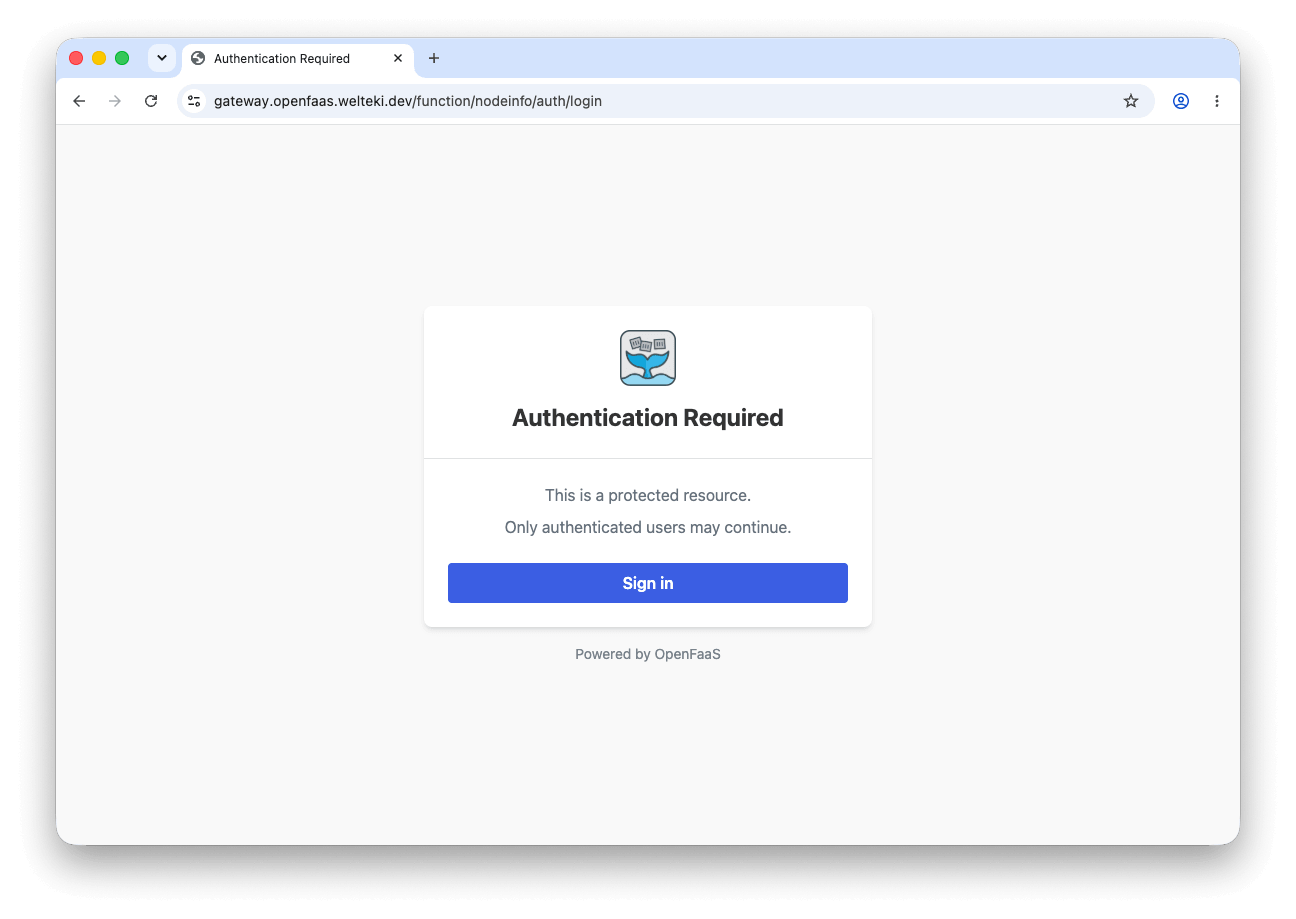
Clicking the Sign in button should redirect to Google’s login page.
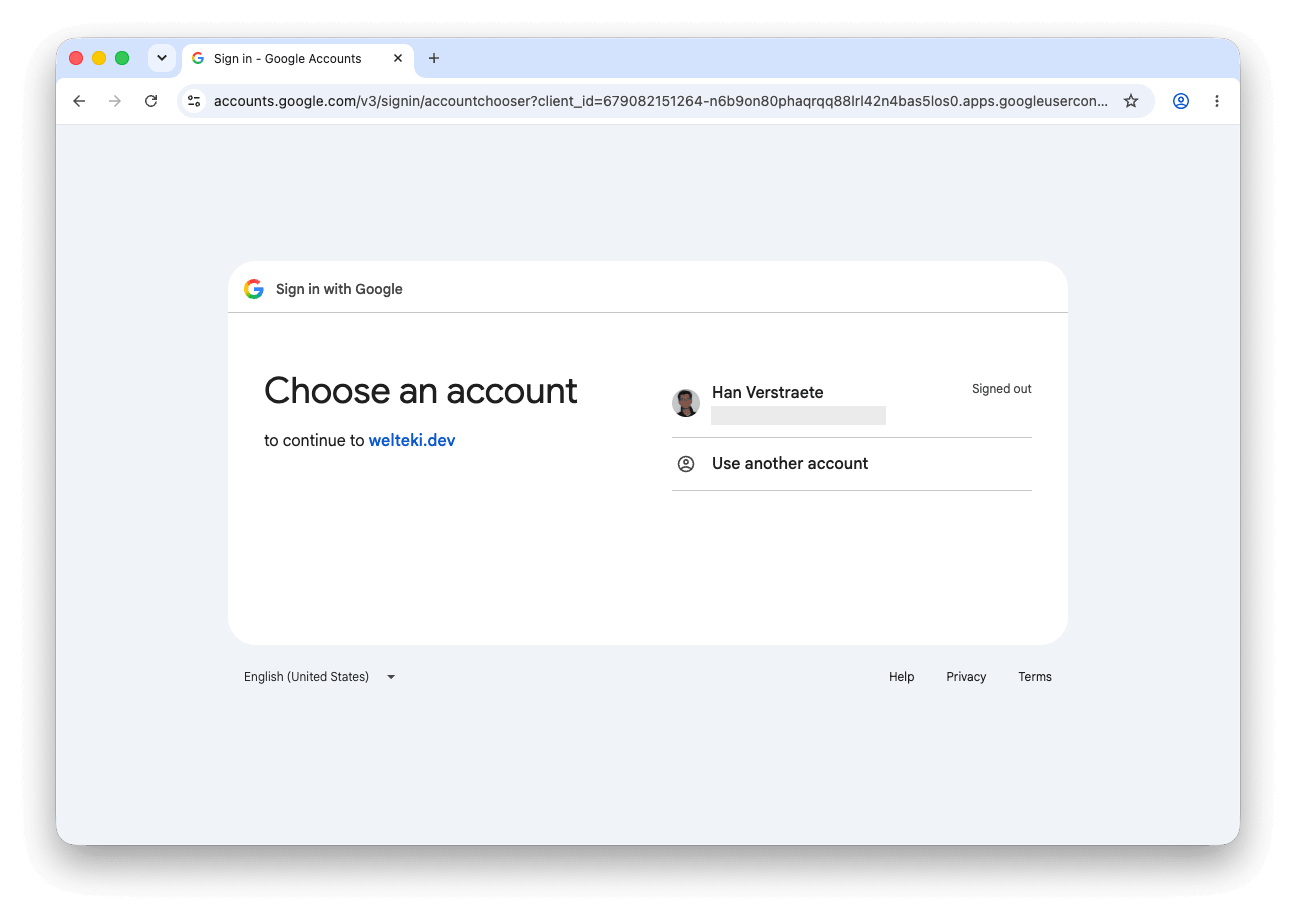
After signing in, you will be redirected back to the function and the nodeinfo response will be displayed.
The watchdog now checks the browser’s session before forwarding requests to the function.
Conclusion
We added Google login to an existing function by only updating the watchdog configuration using environment variables. The watchdog handles sign-in and session validation, so there is no need to change the function code.
Watchdog OAuth makes it easy to protect browser-based portals and functions and is available for every OpenFaaS tier. It requires interactive browser login and is not designed for headless calls.
For calls from other services or automation, see built-in authentication for OpenFaaS Functions, which uses OpenFaaS IAM roles and policies to control access to functions.
In part two of this post we are going to build a small Python web page and show how to implement:
- Sign-out - The watchdog provides a
/auth/logoutendpoint that accepts POST requests. It clears the browser’s session cookie, signing the user out of the function. - Custom authorization - Functions can read and parse the watchdog’s cookie and restrict access by email address, group, or other claims.

Han Verstraete
Associate Software Developer, OpenFaaS Ltd

Alex Ellis
Founder of @openfaas.